Even without installing any add-ons, you can use the following tweaks to adjust IE to taste...
UI Tweaks
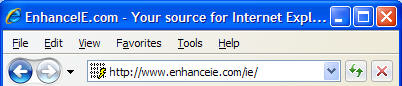
- You can force IE7's menu
bar to the Top (or undo).
Requires restart.
- Some users would prefer the QuickTabs feature didn't automatically close
when IE loses focus (like a menu does). You can make QuickTabs
behave like a page (or go back to
menu mode). Requires
restart.
- You can hide IE7's search box (or
undo). Requires
restart.
- Want to have CTRL+Tab go to the most recent tab, and to go back to the
prior tab when closing a tab? Click the Use most recent order when
switching tabs option on the Tools | Internet Options | Advanced dialog.
- To disable tabbed browsing and remove the Favorites star, toolbar
buttons, and the entire tab row, run this (or
undo).
- You can remove (or
undo) the 3d-border around IE's HTML
canvas. The benefit of doing so is that, when IE is maximized, you can
use the scrollbar by moving your mouse all the way to the right side of the
screen (instead of 1px left of the right-side of the screen).
Fitt's Law suggests
that this is a significant usability improvement.
Search Providers
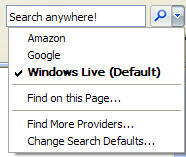
Add a new Search Provider for any search
engine using the IE7 Search Builder.
Website Compatibility
Run into a website that requires IE6? Spoof the site by
tweaking your user-agent.
Requires restart.
Speed Tweaks
1. Increase the connection limit (or undo). This
tweak allows IE to make up to 16 connections per server.
Requires restart.
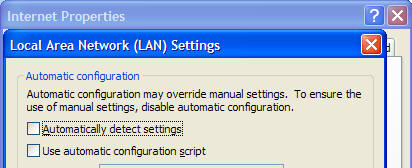
2. If you're not using a proxy, uncheck IE's "Automatically detect
settings" option on the Tools | Internet Options | Connections | LAN
Settings dialog.
Block annoying Flash, popups, adware, etc.
1. Place annoying sites in the
Restricted
Zone.
2. Use the HOSTS
file to block all requests for annoying domains.
3. Scan your computer for adware using Microsoft's
Windows Defender.
IE8 Tweaks
Other tweaks
Change what happens when you use
CTRL+ENTER
quick-complete in the address bar.
Other tweaks from IE MVPs.
|